
Whitelist Peero domain (Office 365)
Add Peero e-mail domain to your whitelist, to make sure that all users will receive their invitation for Peero App.
How to Whitelist a domain in Office 365
To allow a complete domain or specific sender, we need to modify the inbound spam policy.
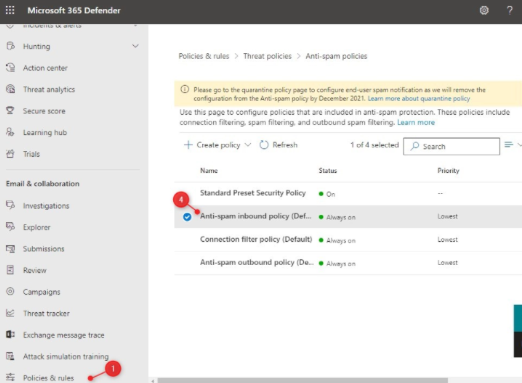
- Click on Policies & Rules
- Select Threat Policies
- Open Anti-Spam (it can take a couple of seconds to load the policies)
- Click on the Anti-spam inbound policy (Default)
- Scroll all the way down in the fly-out and click on Edit allowed and blocked senders and domains
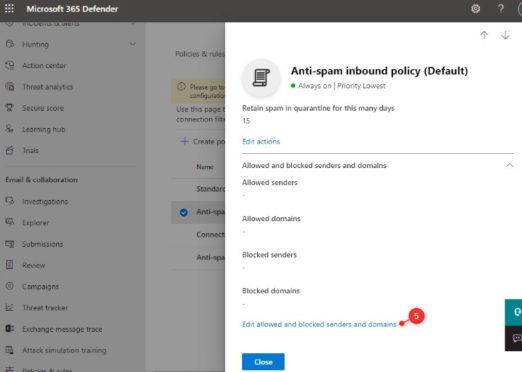
- Click on Allow domains
- Add the domains that you want to whitelist
- Click Done and Save
If you have any additional questions, just email us at support@peero.app