Peero Achievements
The Achievements section in Peero helps employees develop recognition habits and stay engaged.
Achievements are grouped into three categories: Sending, Receiving, and Engagement.
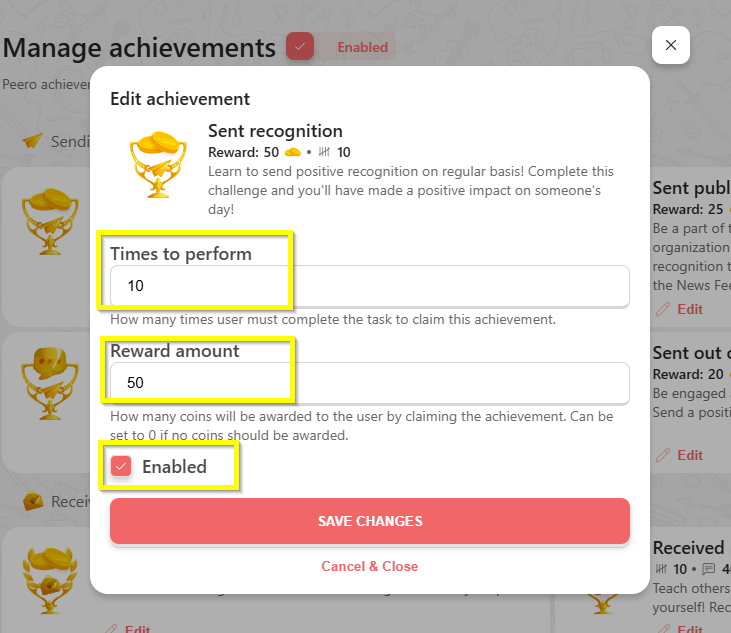
Admins can set how many times each achievement needs to be completed per month, and how many points are awarded. At the beginning of every month, all achievements reset, and Employees can start completing them again, for example, by sending recognitions, receiving meaningful feedback, reacting or commenting on the News Feed posts, and more.
Go to the “Manage Achievements” section to customize the achievements.
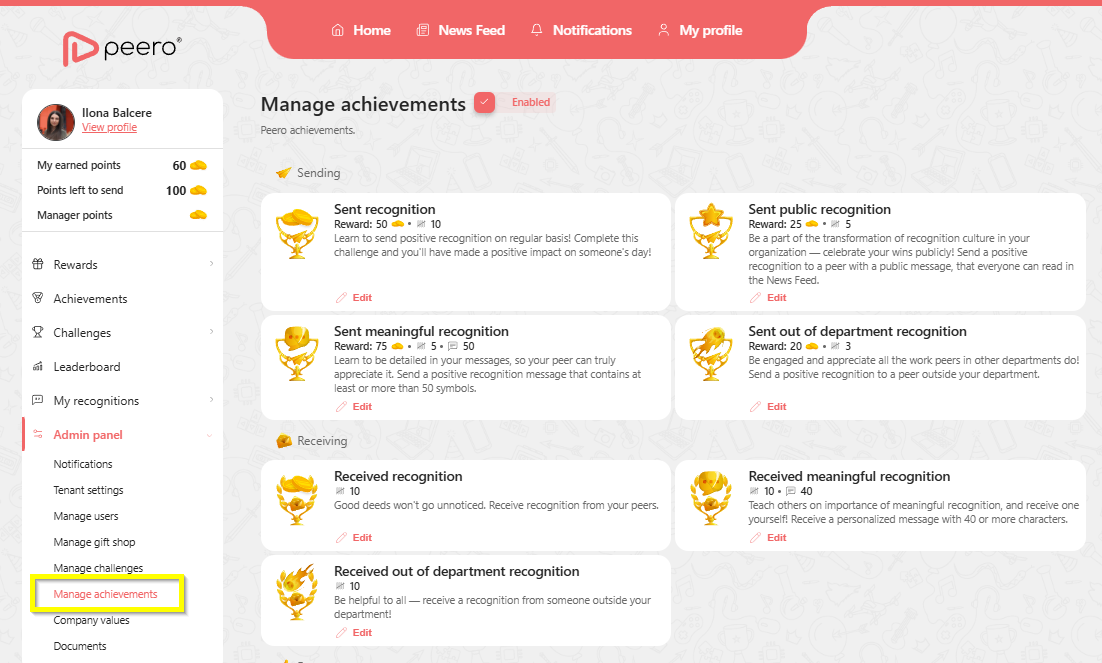
The Achievements section in Peero can be enabled or disabled as needed. If it is disabled, users will not see it, and it will not appear in their menu.
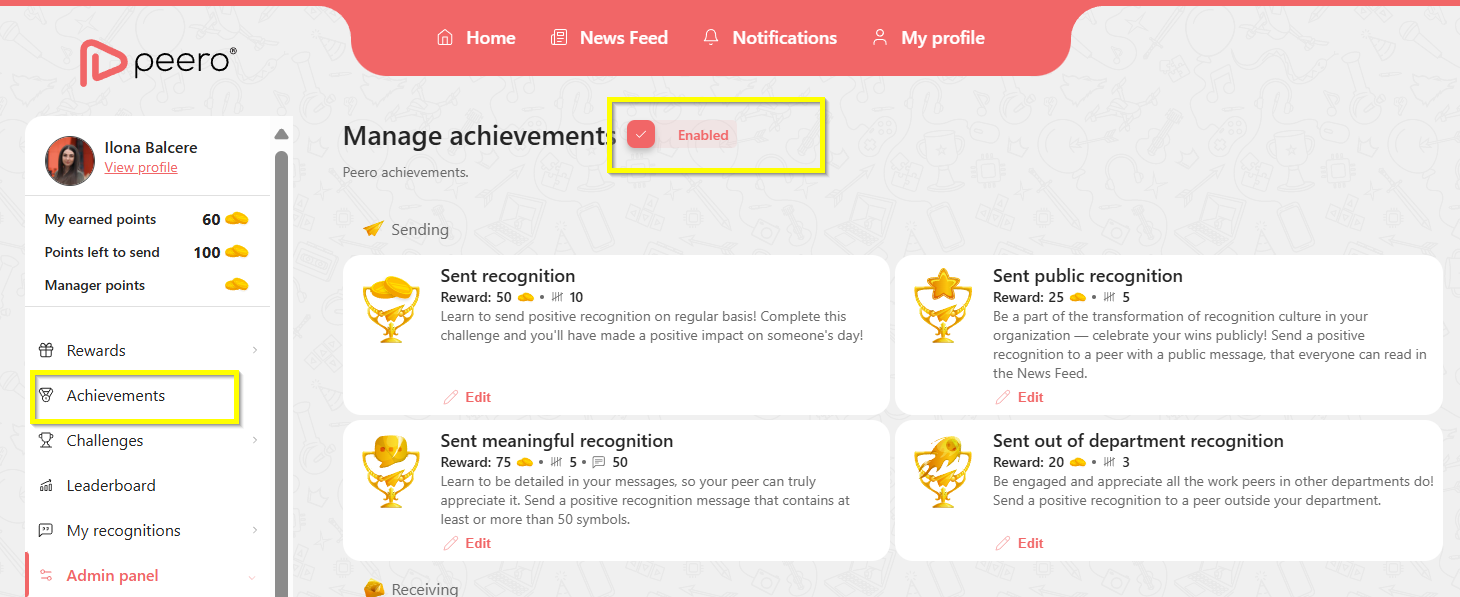
You can customize each achievement and also disable specific ones if you don’t want them to be visible to employees.